Dumpling Dock: a squishy Mac stress buster
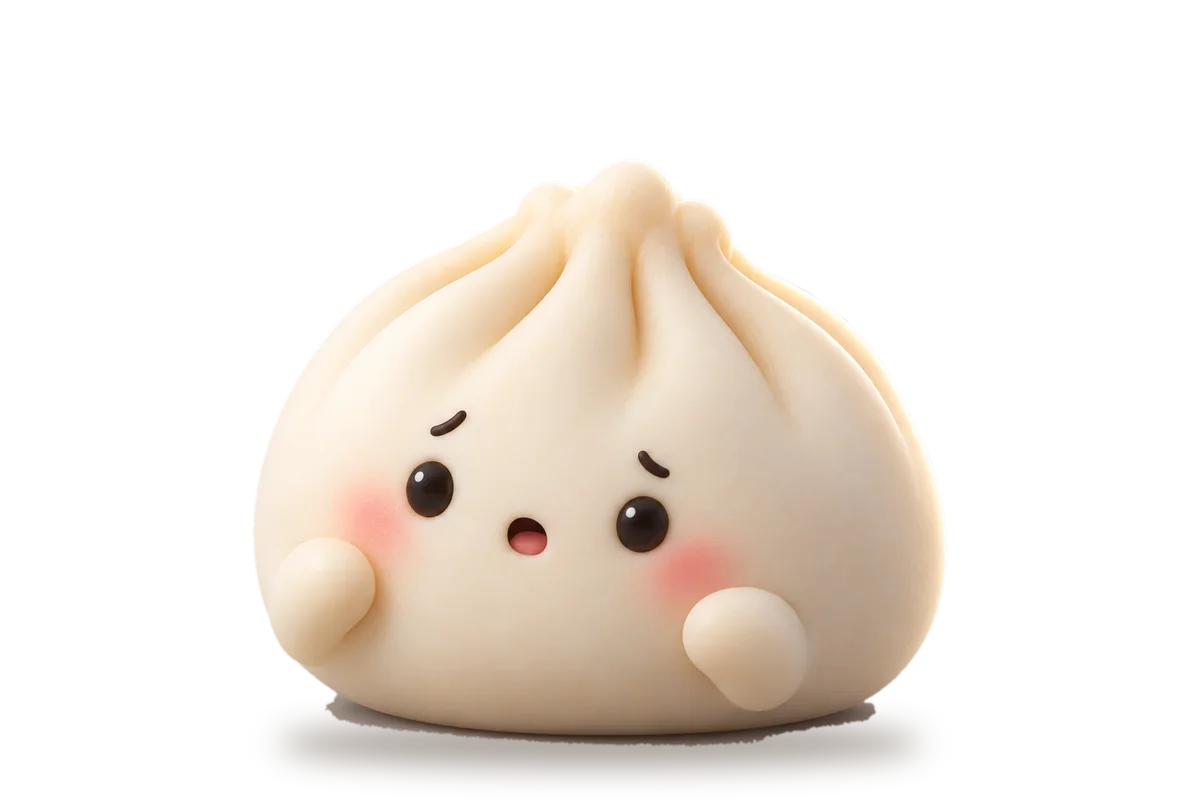
Dumpling Dock is a small stress buster coming to the My Dock Buddies Mac app. A soft 3D dumpling sits on your Dock, and when you click it, the dumpling squashes flat, springs up tall, wobbles, and settles back down looking mildly annoyed. It is a two-second break when work gets heavy, and it rolls out in the coming weeks.
What is Dumpling Dock?
A stress-buster feature coming to the My Dock Buddies Mac app. On your Dock it is a warm ivory dumpling with five soft pleats pinched together at the top, two glossy bead eyes, a pair of nervous eyebrows, pink cheeks and two tiny arms. It rests quietly until you click it, and then it reacts as if you had actually pressed it.
What happens when you click it?
- It notices. The eyes and eyebrows jump up a little while the body barely moves.
- It squashes. The body loses height and spreads wide, arms out, into its flattest pose, with a shocked little mouth.
- It springs back. It stretches up into a tall teardrop shape, overshooting on the way.
- It wobbles. The top leans left while the base stays planted, then swings back right, a little less each time.
- It settles. It returns to its usual shape with a mildly annoyed look, which fades back to its normal face.
How long does a squish take?
About a second and a half from click to rest. It is short on purpose: long enough to feel like the dumpling really got squished, short enough that the fiftieth click is as fun as the first. Click again mid-wobble and it squishes again from wherever it is, without piling up a queue of squishes, and it always ends back in its resting pose. Between clicks the dumpling is a still picture, with nothing running in the background.
Why does a squishy dumpling help?
A long stretch of work sometimes needs a two-second break that asks nothing of you. A soft thing that squashes when you poke it is about the simplest stress buster there is. There is no game to play and no score to keep: click, squish, wobble, back to work.
What Dumpling Dock is not
It is not a 3D playground, so you can’t spin it around or drag its pleats and arms. There is no physics running in the background: the squish is a short animation made in advance. The first version has no sound. It stays in the Dock, with no menu-bar pet, desktop overlay or window floating on top of your work. And it is just the dumpling: no hats, outfits, filling, plate or steamer basket.
Is it part of My Dock Buddies?
Yes. Dumpling Dock is coming to the My Dock Buddies Mac app in the coming weeks. It is not a buddy, and we will share the details when it is out. It is the first of our stress busters: small toys to squish when work gets heavy.
When can I get it?
Dumpling Dock is for Mac only, and it comes to the My Dock Buddies app in the coming weeks. Leave your email on its page and we will send you a note when it is out.